Construction equipment management: getting out of the headache
Scattered tools, double bookings, missed servicing: a practical method for taking back control of the equipment on your jobsites.
- Author
- Allokit
- Published
- Updated
- Reading time
- 4 min
Managing construction equipment well means being able to answer four questions: what do we own, where is it now, who is responsible for it, and is it ready to work? When one of those answers is missing, the phone calls start and the jobsite waits.
For a small construction company, the difficulty is rarely a lack of good intentions. A tool goes from the yard to a truck, then from one jobsite to the next. The foreman knows about the move; the office is still working from Friday's inventory. Here is how to get everyone back on the same page.
1. Making moving equipment visible
A purchase list is not enough to track assets. Two identical drills need two separate records. Otherwise there is no way to know which one is out for repair and which one is in the trailer.
Start with a shared register and a handful of useful facts:
- A unique ID and a photo, so the tool can be recognized.
- Its make, model and serial number.
- The person responsible, and the jobsite or vehicle it belongs to.
- Its condition: available, assigned, under repair or retired.
- The date of the last update or detection.
The date matters as much as the location. "Varennes jobsite, confirmed this morning" supports a different decision than "Varennes jobsite, logged three weeks ago." Our guide to construction asset tracking goes into that distinction.
2. Not promising the same tool to two crews
A machine can be in the yard today and already reserved for tomorrow. If the person doing the buying only sees that it is there, they may send it somewhere else.
For each reservation, record the jobsite, the window, the person who needs it and the expected return. Before renting a second unit, check whether another crew has the same tool and when they can release it. Allow for transport time: a machine free at 3 p.m. on one jobsite is not automatically ready at 3 p.m. on another.
That visibility is what lets you decide between buying and renting on real needs, instead of reacting to the latest emergency.
3. Making maintenance shared information
Equipment coming back does not mean it can go straight out again. A damaged cord or a pending inspection has to show on its record before the next assignment.
Define who can report a problem, who arranges the work and who confirms the return to service. Keep the dates, the work done and the documents in one history. Base service intervals on the manufacturer's instructions and on tracked usage, where you have that data.
A reminder only helps if someone owns it. Every upcoming service needs a person attached, not just a notification.
4. Matching the tracking to the job
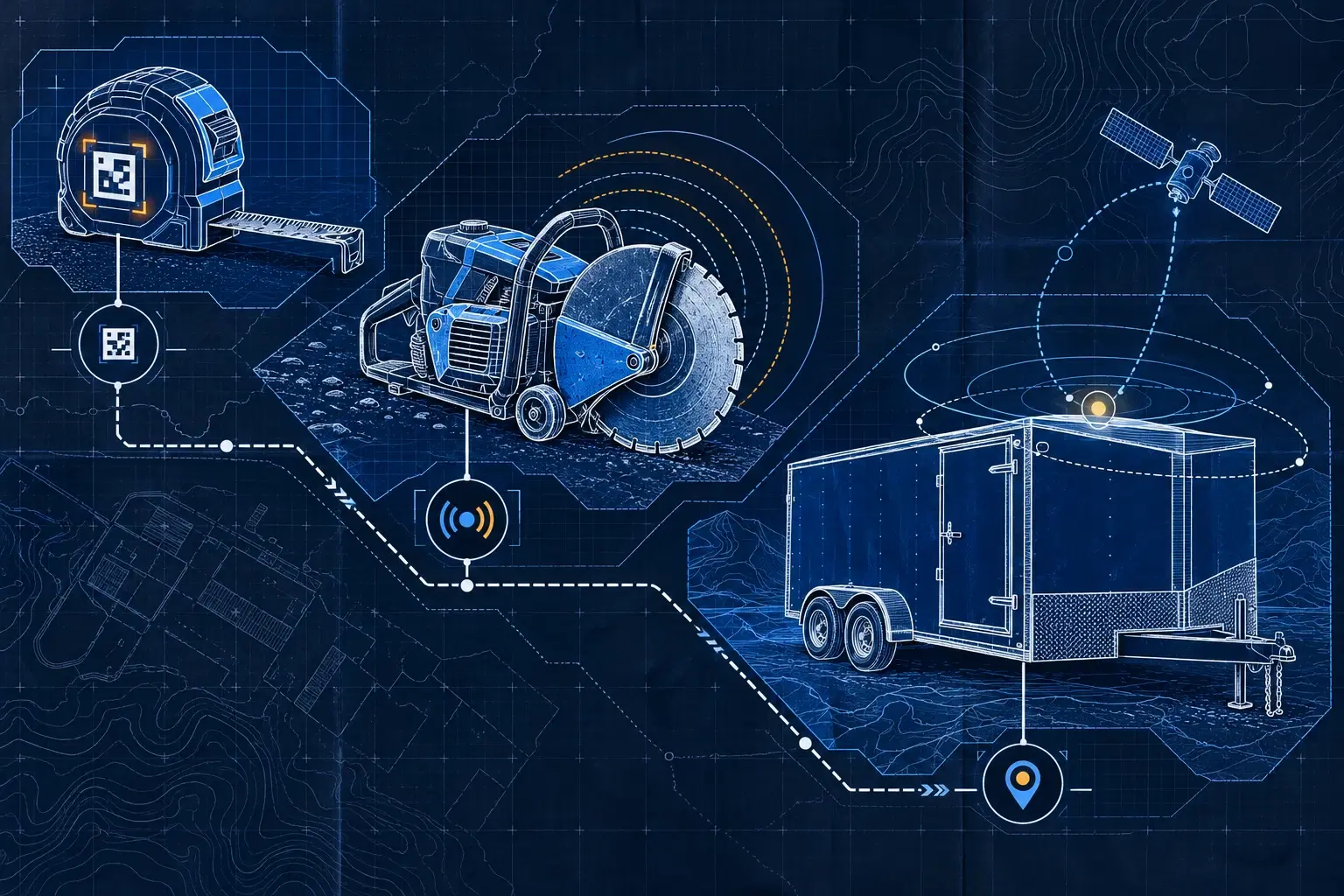
A QR code opens the tool's record and makes updates easy. It requires someone to act at the moment of transfer. A Bluetooth tracker allows detection when the equipment is near a compatible vehicle or gateway. GPS for equipment suits assets that need to report their position independently of that proximity.
These technologies produce different kinds of observation. No system turns an old observation into confirmed presence today. Show the time of the last event, and teach crews how to read it.
5. Starting on one jobsite, then widening
Pick one jobsite, one person in charge and one first family of tools. Do the inventory together, test transfers for a week, and note what takes too many steps. Fix the process before you extend it.
After a month, look at three results: time spent looking for equipment, rentals caused by an availability nobody understood, and overdue servicing. Compare against your starting point. You will know where your method helps and where it still needs simplifying.
The Allokit features bring inventory, assignments and tracking into one platform. To build a first list that fits your jobsites, tell us about your fleet.