
Picking and shipping material to job sites
Allokit guides the storekeeper while picking material and tracks every shipment to the job site. The shipment keeps the vehicle used, loading photos, the GPS route and proof of delivery.
In Allokit, a shipment moves through the To prepare, Ready, In transit and Delivered statuses. Picking is guided by scan down to each item’s location, and delivery is confirmed with the name of the person receiving the material, the drop-off location and photos.
What is picking and shipping of job site material?
Picking is gathering the items of an approved requisition in the warehouse. Shipping is transporting that material to the job site and confirming its delivery. They are the two outbound functions of a WMS.
In Allokit, the same type of shipment handles job site deliveries, returns to the warehouse and transfers between warehouses. Every shipment keeps the history of the material carried, the vehicle and the delivery.
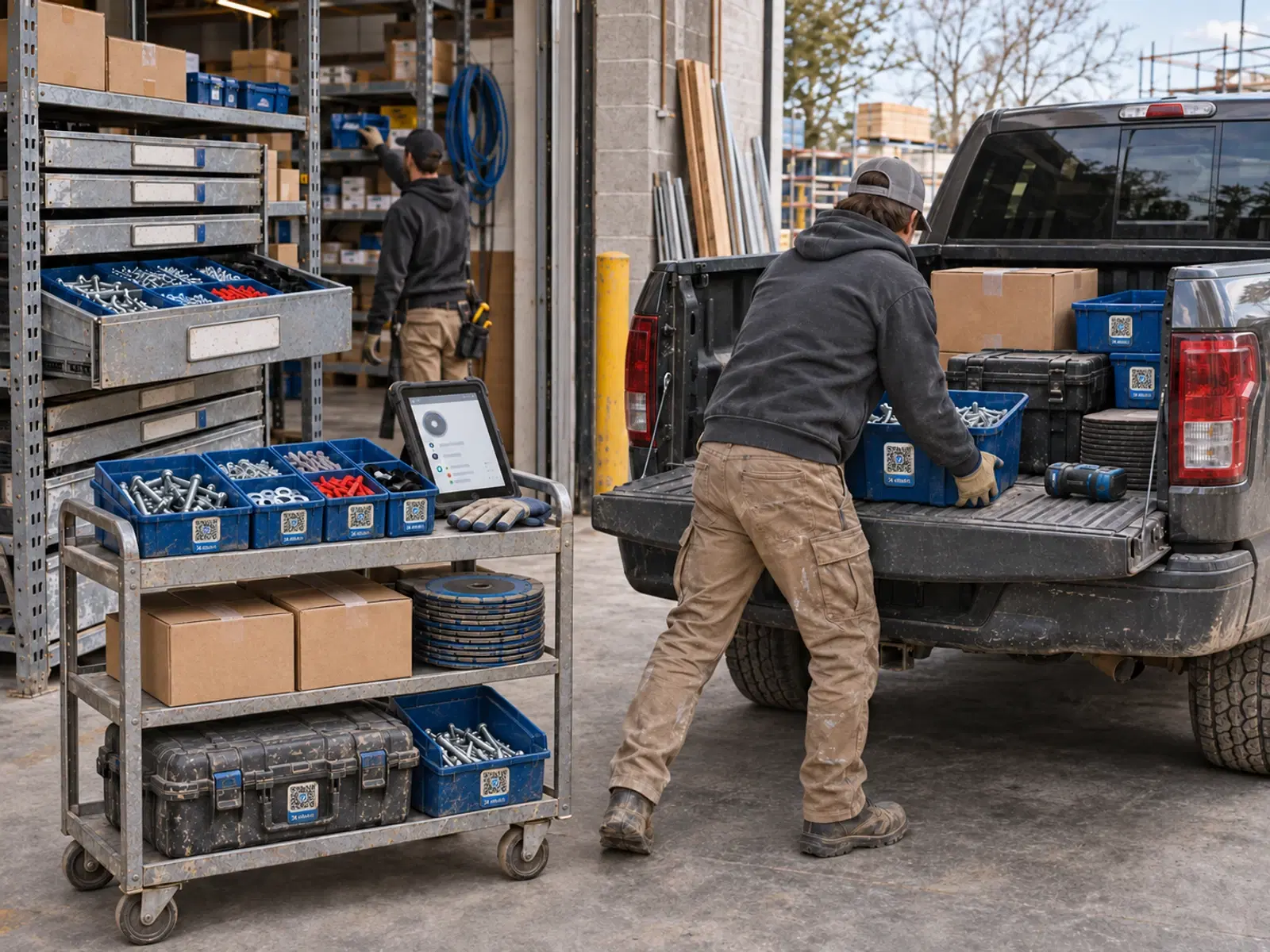
Picking and shipping in Allokit
- Scan-guided picking
- Allokit shows the storekeeper the location of every item and confirms each line when the Allokit QR label is scanned.
- Replacement items
- When an item is missing, Allokit suggests available replacement items.
- Shipment statuses
- A shipment moves through To prepare, Ready, In transit and Delivered. It can also be cancelled.
- Vehicle and loading photos
- The shipment records the vehicle used and the photos taken at loading.
- GPS route
- When the vehicle has a GPS device connected to Allokit, the shipment shows the truck’s route on a map.
- Proof of delivery
- Delivery is confirmed with the name of the person receiving the material, or the “dropped off without receipt” note, the drop-off location, the date and optional photos.
How a shipment moves through Allokit
To prepare
The shipment is created from an approved requisition, a return or a transfer.
Ready
The storekeeper picks the items by scan and confirms the shipment is ready.
In transit
The driver loads the vehicle, takes photos and leaves for the job site.
Delivered
Delivery is confirmed with the recipient, the drop-off location and photos.
When to use picking and shipping
- Deliver the material of an approved requisition to the job site
- Bring a job site’s surplus back to the warehouse
- Transfer material from one warehouse to another
Frequently asked questions about picking and shipping
Which shipments does Allokit manage?
Allokit manages deliveries to job sites, returns from job sites to the warehouse and transfers between warehouses with the same type of shipment.
How is picking guided?
Allokit shows the location of every item to pick. The storekeeper scans the item’s Allokit QR label to confirm the line.
What does proof of delivery include?
Proof of delivery includes the name of the person who received the material or the “dropped off without receipt” note, the drop-off location, the date, optional photos and the truck’s GPS route.
What happens when an item is missing during picking?
Allokit suggests available replacement items, and the storekeeper chooses the item to send.
Can the truck’s route be viewed?
Yes. When the vehicle has a GPS device connected to Allokit, the shipment shows the truck’s route on a map.
Other warehouse management features
Construction material requisitions
Allokit lets foremen and project managers request their job site’s material in a requisition. The storekeeper approves the requisition, Allokit reserves the available stock and missing quantities move to the order list.
See the featureWarehouse receiving for construction material
Allokit groups everything the warehouse must receive in one list: supplier deliveries, job site returns and transfers between warehouses. The storekeeper checks every receipt by scan and chooses the storage location.
See the featureStockroom and parts counter management
Allokit gives the storekeeper one place to approve requisitions, hand material over at the counter, record issues and receive returns. Every issue and every return is charged to the right project.
See the featureConstruction consumables inventory
Allokit keeps the company’s consumables inventory by item and by location. Every receipt, delivery, consumption, return and transfer updates the available quantity and the cost of the project concerned.
See the feature
Track every material delivery to the job site.
Show us how your warehouse picks and delivers material today. We’ll show you how Allokit guides picking and documents every delivery.
