
Warehouse, building and property management
Structure every property the way you need, then manage the items being received, put away, picked and shipped. Assets, quantities, documents and interventions stay connected to the right location.
Get my priceWhat is a WMS for warehouses and properties?
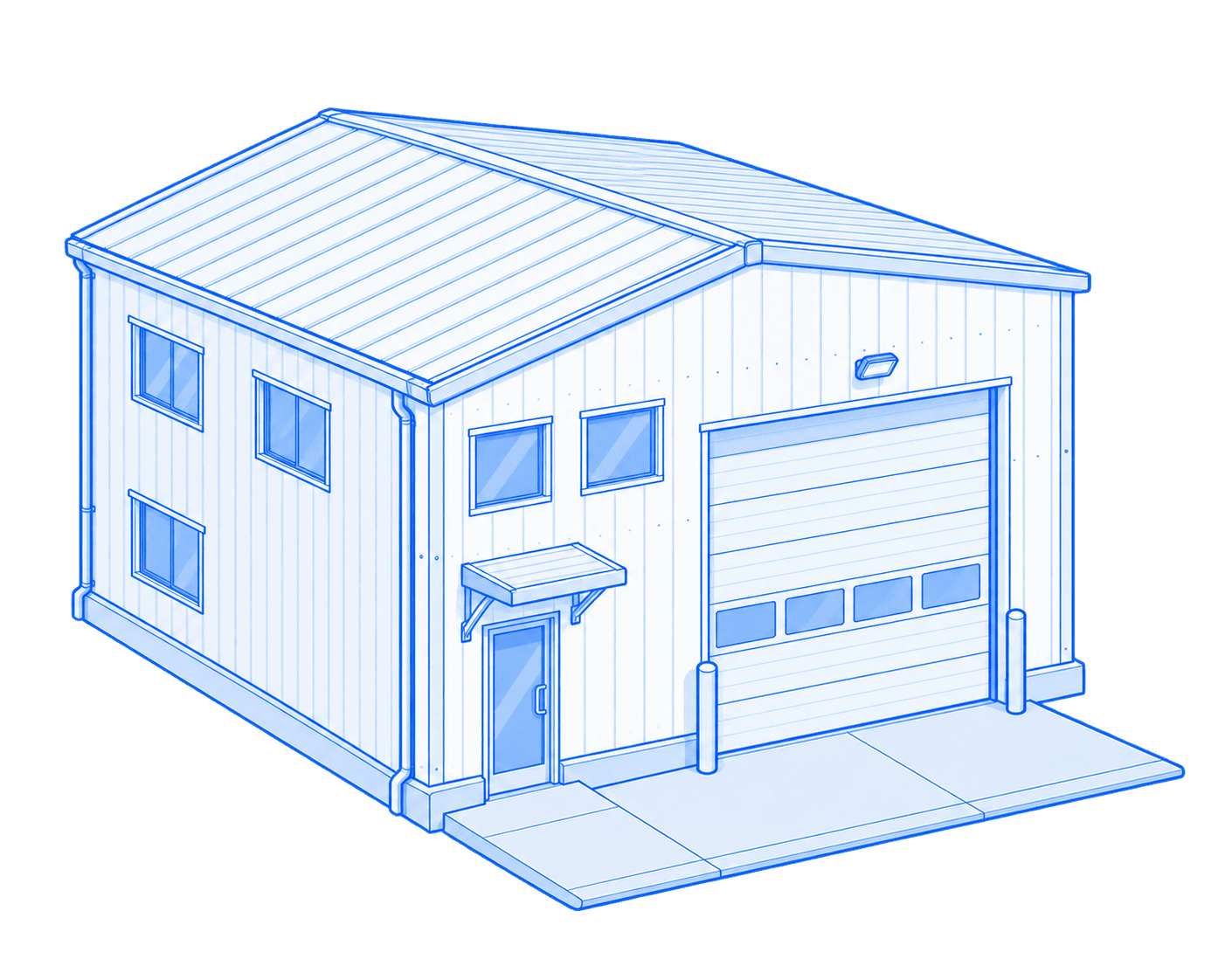
A WMS, or warehouse management system, organizes storage locations and stock movements from receiving through shipping. In Allokit, a property can be freely divided into buildings, floors, sections, aisles, shelves, bins or locations, then connected to the tools, equipment and consumables moving in and out.
Allokit applies WMS logic to warehouses and properties: flexible locations, receiving, put-away, outbound preparation, shipping and movement history.
At receiving, the crew scans items and confirms their quantity and location. For a shipment, it picks the expected items, confirms the issue and keeps the destination in the movement history.
Which locations can you manage in Allokit?
The hierarchy adapts to your operations. A property can contain several buildings; each building can be divided into floors, sections, aisles, shelves, bins and precise locations.
- Warehouses and garages
- Buildings, floors and mezzanines
- Sections and storage areas
- Aisles, shelves, bins and locations
- Yards and outdoor areas
- Offices, technical rooms and permanent installations
A WMS structure adapted to your warehouse
Every level becomes a usable location in Allokit. You choose the level of detail that matters without forcing the same structure on every property.
- A flexible WMS structure
- Divide a property into buildings, floors, sections, aisles, shelves, bins or locations to match your warehouse.
- Receiving and shipping
- Record what comes in, prepare what must leave and keep the destination of every movement.
- Traceable interventions
- Keep the history of work, inspections, repairs and maintenance.
- Assets in the right location
- See which tools, equipment or consumables belong to every property, area or storage location.
Allokit features built for your locations
Inventory, assignment, planning and maintenance connect the WMS structure to warehouse assets, receipts, picking work and issues.
Warehouse and property inventory
Create a property, building, floor, section, aisle, shelf, bin or location hierarchy and attach the information your team needs.
Learn moreAssets connected to the location
See which tools, equipment and consumables belong to every level, then track their movement to vehicles or jobsites.
Learn moreReceipts and shipments to prepare
Prepare the items expected for a receipt or shipment, then confirm quantities when they are scanned.
Learn moreBuilding and installation maintenance
Plan inspections, repairs and facility maintenance and keep a record of completed work.
Learn more
A WMS that shows where every warehouse asset belongs
The warehouse is divided to match your operations. A Bluetooth gateway covers an area and detects tools fitted with a traceur Bluetooth; manual movements complete the record down to the right aisle, shelf or bin.
The WMS structure shows where an asset should be stored; the Bluetooth gateway adds automatic detection that helps confirm the area where it was seen.
Create the property
Add the warehouse, garage, yard or any other building operated by the company.
Divide it freely
Add the floors, sections, aisles, shelves, bins and locations your operation needs.
Connect assets
Link every tool, piece of equipment or consumable to its normal storage location.
Install the gateway
Place a gateway in the area you want to cover so it can detect nearby traceurs Bluetooth.
See detections
Review which assets were detected in that area and when they were seen.
Keep movements
Issues, returns, location changes and interventions remain in the history.

Identify an area and detect the assets inside it
QR codes quickly open the record of an area or location. A gateway installed in the warehouse can also detect nearby traceurs Bluetooth and report those detections to Allokit.

QR codes
A QR code at the entrance, on an area or on a fixed installation opens the right record to review or update information.
Learn more
Traceur Bluetooth
A gateway installed in the warehouse detects nearby traceurs Bluetooth and reports the area and time of the latest detection to Allokit.
Learn more
Why manage warehouses and properties in Allokit?
A clear location hierarchy combined with Bluetooth gateway detections helps the team understand what should be in every area and what was actually seen there.
- Adapt the WMS structure to every property
- Find an asset by floor, section, aisle or shelf
- Track material leaving for vehicles and jobsites
- Prepare receipts and shipments before they reach the dock
- Automatically detect traceurs Bluetooth in a covered area
- Keep the history of movements and interventions
- Reduce searches and parallel location lists
Connect your locations to the assets they contain

Frequently asked questions about warehouse and property management
What is a WMS for construction?
A WMS, or warehouse management system, structures material locations and movements. Allokit connects that structure to tools, equipment, consumables, responsible people and jobsites.
How can a warehouse be divided in Allokit?
A property can contain buildings, then floors, sections, aisles, shelves, bins or locations. The structure can be adapted differently for every property.
Can a Bluetooth gateway cover a warehouse?
Yes. A gateway installed in an area detects nearby traceurs Bluetooth and reports the time and location of the detection to Allokit.
Does Bluetooth automatically identify the exact shelf?
A detection confirms that a traceur Bluetooth was seen in the area covered by a gateway. The precise aisle, shelf or bin can be managed in the WMS structure or confirmed by a crew action.
Can I see the equipment connected to an area?
Yes. Assets can be linked to a property, building or precise location so the team can see what should be there and track changes.
Can QR codes be used with the WMS?
Yes. A QR code can open the record of a section, shelf, bin or installation directly so information can be reviewed or updated on site.
Can receiving and shipping be managed?
Yes. The crew can prepare the expected items, scan what comes in or goes out, confirm quantities and keep the location or destination of the movement.
Keep your property history in one place.
We’ll help structure the records, documents and maintenance your crew needs to reach quickly.
